Ford Explorer for Sale: Compare Listings and Total Costs
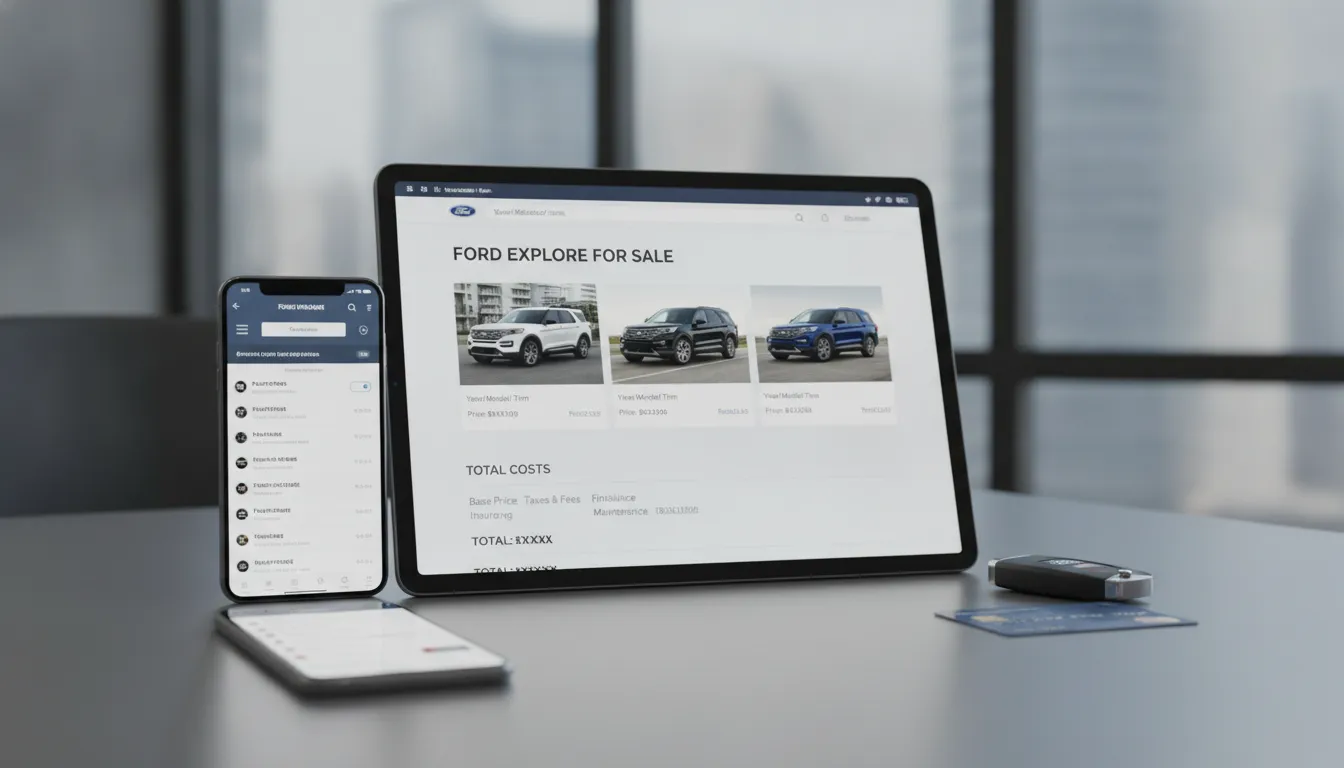
Find the best Ford Explorer for sale by comparing listings, features, and total costs. Get tips on pricing, financing, and what to check before you buy.
The closest listing isn’t always the best fit. If you’re searching for a ford explorer for sale, expanding your search beyond nearby dealerships can give you more options for model year, trim, mileage, and price. The key is to compare the full purchase, including delivery, taxes, vehicle condition, and financing, rather than focusing on the advertised price alone. Check each Explorer’s history and equipment, and arrange an independent inspection before committing. If you’re in Maryland or buying from another state, Automated Brokers can search across its dealership network and coordinate the process remotely by phone, text, or email.
Key Takeaways
- Compare like-for-like Explorers: Check the same model year, trim, drivetrain, mileage, and condition to judge prices and features fairly.
- Check the details before buying: Verify the VIN, history, equipment, and service records, then arrange an independent inspection and request the full price in writing.
- Make your search specific: Give Automated Brokers your budget, location, preferred features, and delivery needs so the team can look for options across its dealership network.
Find Ford Explorers for Sale Near You
Finding the right Ford Explorer often means looking beyond the listings closest to home. Start with your location, then compare nearby options with vehicles farther away. A broader search can give you more choices in model years, trims, mileage, and features.
Search by ZIP code and delivery options
Enter your ZIP code on a vehicle listing site and choose a search radius that works for you. Then filter by price, mileage, model year, and other priorities. J.D. Power’s Ford Explorer listings let shoppers adjust location and search filters, making it easier to focus on vehicles that fit their needs.
If you find an Explorer outside your area, ask the seller about delivery availability, cost, and timing before you compare prices. Automated Brokers works with buyers remotely by phone, text, or email, with nationwide delivery or pickup in Maryland. Share your location and preferences through its How It Works process to discuss possible options.
Compare local listings with nationwide inventory
Compare several Explorers with similar model years, trims, mileage, and condition. This gives you a clearer sense of local asking prices and helps you identify listings worth investigating. If nearby choices are limited, expand your search radius or look in other states. Include delivery costs and timing in your comparison so you’re weighing the full purchase, not just the listed price.
A location-based search can help you see how many vehicles meet your filters in a particular market. For example, J.D. Power’s Ford Explorer search near Tucson lets shoppers review used listings by location. Automated Brokers searches more than 1,300 vehicles across its dealership network. Ask whether the team can look for an Explorer that fits your budget and requirements.
Widen your search for specific years, trims, mileage, or configurations
If you have a specific Explorer in mind, search by model year and trim, then check the listing details carefully. The Explorer has been offered in trims such as XLT, Limited, ST, and Platinum, but features and configurations can vary by year. Confirm the equipment on the vehicle itself instead of assuming every trim includes the same features.
You can also broaden your mileage range or include nearby model years to see more options. J.D. Power’s Explorer listings include vehicles from different years and trims, which can help you compare what’s available. When a listing looks promising, verify its VIN, drivetrain, history, and included features. Then compare its total cost with similar vehicles before deciding whether to take the next step.
Choose the Right Ford Explorer Year, Trim, and Features
The right Explorer depends on how you’ll use it, who’ll ride in it, and what fits your budget. Compare specific model years and configurations, since engines, features, and equipment can change over time. If you have a particular year or trim in mind, Automated Brokers can search its dealership inventory for a match.
Compare trims, engines, and drivetrains by model year
Explorer trims have included XLT, Limited, ST, King Ranch, Timberline, and Platinum, but availability and features vary by year. The 2023 Explorer, for example, offered a 2.3-liter turbocharged four-cylinder engine with 300 horsepower. Some versions offered a 3.0-liter twin-turbo V6 with up to 400 horsepower. Rear-wheel drive and all-wheel drive availability also depends on the model year and trim. Use a model-year trim comparison as a starting point, then check the vehicle’s VIN and original equipment details. That extra step helps confirm you’re comparing like-for-like listings, rather than relying on a trim badge that may come with different equipment across years.
Check seating, cargo space, infotainment, and comfort
Many Explorers seat up to seven, but consider how often you’ll use the third row. If you regularly carry adults, install child seats, or pack bulky gear, check the space in person and see how easily the seats fold. For the 2023 model, published cargo capacity is 18.2 cubic feet behind the third row and up to 87.8 cubic feet with the second and third rows folded. Screen size, smartphone connectivity, and other cabin features can vary by year and trim. Review the 2023 Explorer interior and cargo details, then confirm the specific listing’s equipment. During an inspection, sit in each row and try the controls to see if the layout suits your daily routine.
Review Ford Co-Pilot360 features and safety ratings
Ford Co-Pilot360 is the name for a suite of driver-assistance features, but the systems included can vary by model year, trim, and optional package. Some Explorers offer features such as automatic emergency braking, lane-keeping assistance, and blind-spot monitoring with cross-traffic alert. Check the vehicle’s equipment list to confirm which features it has, and learn how they work before relying on them. Look up recalls and crash-test information for the exact model year through NHTSA’s vehicle resources. Safety ratings apply to specific years and testing programs, so compare the details rather than assuming one year’s results apply to another. Ask the seller about any open recalls and whether completed recall repairs are documented.
Verify fuel economy and towing capacity for each configuration
Fuel economy and towing limits depend on the Explorer’s model year, engine, drivetrain, and equipment. A four-cylinder version may suit buyers who prioritize fuel savings, while a V6 may better fit needs for added power. Check the exact vehicle’s ratings in the EPA fuel economy database rather than relying on estimates for a different configuration. Towing capacity can also vary: some Explorers are rated to tow up to 5,300 pounds when properly equipped, but that maximum doesn’t apply to every model. Verify the limit in the owner’s manual or manufacturer specifications, and confirm the vehicle has the required towing equipment. If towing is important, include that requirement when asking Automated Brokers to search for an Explorer.
Compare the Ford Explorer With Other Midsize SUVs
The Ford Explorer, Chevrolet Traverse, Honda Pilot, and Toyota Highlander all offer three-row seating, but they differ in performance, passenger and cargo room, features, and price. Compare similar model years and trims, then focus on what matters most for your passengers and driving needs.
Compare it with the Chevrolet Traverse, Honda Pilot, and Toyota Highlander
For 2026, the Explorer’s standard 2.3-liter EcoBoost engine produces 300 horsepower and 310 pound-feet of torque, according to New Way Ford’s comparison. The Traverse stands out for cargo capacity: it offers up to 97.6 cubic feet of maximum cargo space and seating for up to eight, compared with the Explorer’s 85.8 cubic feet and seven-passenger capacity.
The Pilot and Highlander may suit you better if you prefer their seating layouts, features, or driving feel. Compare the exact year and trim you’re considering, since passenger capacity, cargo measurements, and available equipment can vary. If possible, bring the people who’ll regularly ride in the SUV to check how comfortably they fit.
Weigh performance, space, and available features
Think about how you’ll use the SUV before comparing specifications. The Explorer’s standard turbocharged four-cylinder makes more horsepower than the Pilot’s standard V6, while the Traverse offers more maximum cargo space and an eight-passenger option. Check second- and third-row legroom if you regularly carry adults or older children, and consider whether you’ll need room for luggage with all seats in use.
Safety and comfort features also vary by trim. The Explorer includes Ford Co-Pilot360, while the Highlander offers Toyota Safety Sense, though individual features may differ by year and configuration. Sam Scism Ford’s 2026 comparison outlines some of these differences. Confirm the specific vehicle includes the driver-assistance, infotainment, and comfort features you want.
Compare prices and ownership costs for similar years and trims
Compare vehicles with similar model years, trims, drivetrains, mileage, and condition. As a 2026 reference, reported starting prices are about $40,585 for the Explorer, $40,800 for the Traverse, $42,395 for the Pilot, and $46,270 for the Highlander. These estimates can change, so check current listings and ask for the full out-the-door price.
Also account for fuel, insurance, maintenance, and repairs. The cited comparison estimates 20 mpg city and 29 mpg highway for a rear-wheel-drive Explorer with the 2.3-liter engine. Actual costs depend on your driving and the vehicle’s condition. Automated Brokers can search dealership inventory and help you compare available vehicles and pricing. Before committing, review the vehicle history and confirm all fees and included services in writing.
Check a Ford Explorer Listing
A listing can help you narrow your options, but it doesn’t tell the whole story. Before you make an offer, confirm that the Explorer’s identity, equipment, history, and condition match what the seller describes. Ask for supporting documents and take time to check details against reliable sources. This gives you a clearer basis for comparing vehicles and may help you catch questions worth resolving before purchase.
Verify the VIN, mileage, title, ownership, and accident history
Ask the seller for the Explorer’s 17-character vehicle identification number (VIN). Check that it matches the number on the vehicle and its paperwork, then use it to review a vehicle history report. Look for mileage records, title status, ownership history, and reported accidents. A salvage or rebuilt title, mileage discrepancies, or unexplained gaps in the records call for follow-up. Keep in mind that reports may not show every accident or repair, so ask the seller about anything unclear and compare the report with service documents. The NHTSA VIN decoder can help verify details about the vehicle’s make, model, and year. Treat a clean history report as one useful check, not a guarantee of condition.
Confirm the trim, drivetrain, options, and features
Confirm the model year and trim, then check the drivetrain and installed options. Explorers with the same trim name can vary by model year or equipment package, which affects features, capability, and price. Verify details that matter to you, such as seating configuration, heated seats, driver-assistance features, and all-wheel drive. Compare the listing with specifications for that exact model year instead of assuming a feature comes standard. For example, Greenbrier Ford’s 2023 Explorer trim guide outlines equipment offered on that year’s models. If the listing advertises a feature you want, ask the seller to confirm it with documentation or photos, or check it in person before making an offer.
Review maintenance records, recalls, complaints, and repairs
Request maintenance records and repair invoices, paying attention to routine service and major work. Consistent documentation can help you understand how the Explorer was cared for, while recurring repairs or long gaps in records are worth discussing with the seller. Check the VIN for open safety recalls with the NHTSA recall lookup, and ask whether any required repairs have been completed. You can also read owner feedback and reliability coverage to identify questions to ask about a particular model year. Treat reviews as a starting point, not proof that a specific vehicle has a problem. Ask the seller to explain warning lights, recent repairs, or missing records, and request receipts when available.
Arrange an independent inspection and test drive
Before you buy, arrange an inspection with a qualified mechanic who is independent of the seller. Ask them to check the engine, transmission, brakes, tires, suspension, electronics, and signs of previous damage. On your test drive, notice how the Explorer accelerates, brakes, steers, and shifts. Test the infotainment system, climate controls, seats, and safety features, too. If you expect to carry passengers, have them try the third row and check access and comfort. A test drive can reveal issues that photos and paperwork don’t show. If you’re considering a vehicle through Automated Brokers, ask what history and inspection information is available, and confirm whether you can arrange an independent inspection before completing the purchase.
Use Ford Explorer Reviews to Assess Ownership
Reviews can help you understand what it’s like to own a Ford Explorer, but the details matter. Feedback may differ by model year, trim, engine, drivetrain, and how the vehicle was maintained. Look for patterns across multiple reviews, then use those points to guide your questions and inspection. A review can’t confirm the condition of the Explorer you’re considering, so verify its history, features, and mechanical health before you buy.
Consider feedback on ride comfort, space, and technology
Look for repeated comments about ride comfort, cabin noise, visibility, and how simple the controls are to use. Owner feedback can offer a sense of daily driving, while professional road tests can provide more detail about handling and technology. Check that a review covers the same model year and trim as the vehicle you’re considering, since equipment and features can vary.
The Ford Explorer owner feedback summary can help you identify topics to investigate. Treat individual comments as prompts, not promises. If a review mentions a feature you value, confirm it appears on the specific vehicle’s listing and test it during a viewing or ask the seller to demonstrate it.
Check whether the third row fits your passengers
Three rows can help with family trips and carpools, but the number of seats doesn’t tell you whether everyone will be comfortable. Think about who will use the third row and how often. Adults and children may have different space needs, and ease of entry, legroom, headroom, and visibility all affect comfort.
If you can, bring your regular passengers to see the vehicle. Have them try the third row and check how easily they can get in and out. Then see how much cargo space remains with all seats in use. The Car and Driver Ford Explorer review offers model-specific road-test impressions, but confirm the measurements and configuration for the year and trim you’re shopping for.
Look for model-year-specific reliability or transmission concerns
Reliability feedback can vary by model year, engine, and drivetrain, so look for information about the exact version you’re considering. Note recurring reports about transmission behavior, engine noise, or other concerns, and check whether they apply to a particular year or configuration. This helps you prepare focused questions instead of assuming every Explorer has the same ownership experience.
The Consumer Reports Ford Explorer page can help you review reliability information and owner feedback. Use what you find as a starting point, not a diagnosis. Ask the seller about any symptoms, repairs, and service visits, then compare their answers with the vehicle’s maintenance records.
Use reviews as a starting point, then verify the vehicle’s condition
Reviews describe common experiences, but they can’t tell you how a particular Explorer was driven or maintained. Confirm the VIN, mileage, title status, ownership and accident history. Check that the advertised trim, drivetrain, and features match the vehicle, and review service records for regular maintenance and past repairs. Also check for open recalls using the NHTSA VIN recall lookup.
Before you agree to buy, arrange an independent inspection and take a test drive. Ask the mechanic to check the engine, transmission, brakes, tires, suspension, and electronics. If you’re buying remotely, request inspection results and vehicle-history documents before finalizing the purchase. Automated Brokers can help compare available vehicles through its dealership network, while you confirm the condition and total cost of the specific Explorer.
Calculate Ford Explorer Ownership Costs
The advertised price is only part of your Ford Explorer budget. Taxes, registration, delivery, fuel, insurance, and maintenance all affect the total. Compare the full cost of similar vehicles, and ask for a written breakdown before you commit. If you’re shopping from a distance, Automated Brokers can coordinate vehicle searches and purchase details through its dealership network.
Compare prices by year, trim, mileage, condition, and location
For a useful comparison, focus on Explorers with similar model years, trims, mileage, drivetrains, and condition. A higher price may reflect lower mileage, desirable features, or a clean vehicle history. A lower price could come with prior damage, missing equipment, or maintenance needs. Location can affect both asking prices and availability, while delivery may add to your total.
Review several comparable listings instead of treating one asking price as the market standard. A pricing resource such as J.D. Power’s Ford Explorer listings can help you see how prices vary across model years and locations. Record each vehicle’s mileage, condition, options, and history so you’re comparing like with like.
Request the out-the-door price, including taxes, registration, and fees
Ask the seller for an itemized out-the-door price in writing. It should include the vehicle price, sales tax, title and registration charges, documentation fees, delivery costs, and any optional products or add-ons. A written breakdown helps you compare offers and identify charges you didn’t request.
If you plan to finance, compare the vehicle price separately from the loan’s APR, term, and total interest. That makes it easier to understand what you’re paying for the Explorer versus the cost of borrowing. Before signing, check that the purchase agreement matches the figures you were given. The FTC’s used-car buying guide explains what to review when purchasing from a dealership. Ask Automated Brokers to confirm the full cost breakdown with the selling dealer before you move forward.
Estimate fuel, insurance, maintenance, and repair costs
Get insurance quotes using the exact model year, trim, and drivetrain you’re considering. Premiums depend on details such as your location, driving history, coverage choices, and the vehicle itself, so a general estimate may not reflect your actual rate.
For maintenance, check the owner’s manual for scheduled service and review records for any used Explorer. Include routine expenses such as oil changes, tires, brakes, and inspections in your budget. Set aside room for repairs, especially if you’re considering an older vehicle or one with higher mileage. An independent mechanic’s pre-purchase inspection can reveal worn parts or repairs that may be due soon. Use the vehicle’s condition and service history to estimate future costs, rather than assuming that two Explorers of the same year will need the same work.
Check fuel-economy ratings for the exact year and configuration
Fuel economy varies by model year, engine, drivetrain, and trim. Look up the exact configuration in the EPA’s FuelEconomy.gov vehicle database, then note its city, highway, and combined estimates. Compare the ratings for each Explorer you’re considering, particularly if they have different engines or drivetrains.
To estimate annual fuel spending, use the combined rating, your approximate yearly mileage, and the current price of fuel where you live. Your actual mileage may differ based on traffic, weather, driving habits, passenger or cargo load, and vehicle condition. If you expect to tow or regularly carry a full load, factor in that your fuel use may be higher. Checking the specific EPA rating gives you a better starting point for comparing likely fuel costs than relying on a broad estimate for the Explorer lineup.
Compare Ford Explorer Financing Options
Estimate payments using price, down payment, APR, and loan term
Your monthly payment depends on the amount financed, your APR, and the loan term. A larger down payment reduces what you borrow. A longer term can lower the monthly payment, but often increases the interest you pay over the life of the loan. Use a calculator to compare scenarios, and include taxes, registration, and fees when estimating the amount financed.
As one market snapshot, J.D. Power listings show Ford Explorer asking prices from $5,995 for older models to $37,255 for newer ones, with estimated payments around $110 to $685. These are examples, not loan quotes. Review Ford Explorer listings, then calculate payments using the exact vehicle price and financing terms you’re offered.
Compare bank, credit union, dealer, and broker financing options
Request financing quotes from a bank, credit union, dealership, and broker-supported option, if available. Compare the APR, loan term, amount financed, monthly payment, and total interest. Ask whether the rate depends on automatic payments, a particular down payment, or other conditions. For a fair comparison, request offers for the same loan amount and term.
A broker can help coordinate the purchase and financing process, but confirm which lender makes the loan and review its terms directly. Automated Brokers offers financing support and lets buyers complete the purchase by phone, text, or email. Ask what options may fit your situation and what documents the lender needs. You can review how the buying process works before getting started.
Ask about incentives and discounts, and compare total loan costs
Ask whether the Explorer qualifies for manufacturer incentives, dealer discounts, or other price adjustments. Confirm the eligibility rules, which may depend on the model year, trim, location, or lender. A discount may not apply to every financing offer, so compare the vehicle’s final price alongside the loan terms.
Price labels can help you assess listings, but treat them as a starting point. J.D. Power may classify a vehicle as a Great Price, Good Price, Fair Price, or High Price compared with similar listings. Verify the current asking price and ask which discounts apply to that specific Explorer. Then compare the total loan cost, including interest and fees, rather than choosing based only on the lowest monthly payment.
Review the purchase agreement and confirm all charges
Before signing, read the purchase agreement carefully. Confirm the vehicle price, taxes, registration costs, dealer fees, add-ons, down payment, APR, loan term, and total amount financed. Check that any promised discount or incentive appears in writing, and ask about charges you don’t recognize.
Make sure the agreement matches the financing offer you accepted. If the payment, APR, or loan term differs from what you discussed, pause and ask for an explanation. Listing prices and payment estimates are starting points; the final cost may change based on taxes, fees, and financing terms. Request an itemized out-the-door price so you can compare the full cost with other Ford Explorer offers.
Negotiate the Best Price on a Ford Explorer
A fair deal starts with comparable listings, a careful vehicle review, and a written out-the-door price. Keep the Explorer’s price separate from financing and trade-in discussions so you can see exactly what you’re paying.
Compare similar listings to gauge local prices
Compare Explorers with similar model years, trims, drivetrains, mileage, and condition. A low-mileage Platinum, for example, is not a direct match for a higher-mileage base trim. Check listings in your area, then expand your search if you find few comparable vehicles. J.D. Power’s Explorer listings near Denver show how asking prices and vehicle details can vary across listings. Use advertised prices as a guide, not a final quote. Taxes, fees, condition, and included services can all affect the amount you pay. Keep a short list of comparable vehicles and their prices to support your offer.
Base your offer on the vehicle history, inspection, and needed repairs
Review the vehicle history report and arrange an independent inspection before making an offer. Look for accident records, title concerns, gaps in maintenance, warning lights, and signs of repairs the vehicle may need. If the inspection identifies an issue, ask a mechanic for a written repair estimate. You can use that estimate to support a lower offer or ask the seller to complete the repair before purchase. A history report can provide useful background, but it cannot confirm the vehicle’s current condition. The FTC’s used-car buying guide recommends reviewing the vehicle’s history and getting an independent inspection.
Negotiate the vehicle price separately from financing and trade-in terms
Start by agreeing on the Explorer’s purchase price. Discuss your trade-in and financing separately, since a monthly payment can hide the total cost or make a higher vehicle price seem more manageable. After settling on the price, compare financing offers by APR, loan term, and total amount paid. Request an itemized out-the-door quote that includes taxes, registration, dealer fees, and add-ons. The Consumer Financial Protection Bureau’s auto loan guidance explains what to review when comparing loan offers. If a seller presents a payment estimate, ask to see the full loan terms before deciding.
Get the agreed price and included services in writing
Before signing, request a written, itemized quote showing the Explorer’s VIN, trim, mileage, purchase price, taxes, fees, and add-ons. Make sure it also lists any agreed repairs, warranty coverage, delivery, or other included services. Ask whether the quoted price depends on using a particular lender or meeting other conditions, and confirm that the paperwork matches what you discussed. Automated Brokers works with buyers by phone, text, or email, giving you time to review the buying process and ask questions before finalizing your purchase. Keep copies of the quote and signed documents for your records.
Buy a Ford Explorer With Automated Brokers
Finding the right Ford Explorer can take time, especially when you’re comparing model years, trims, mileage, and prices across different dealerships. Automated Brokers offers a concierge-style alternative: share what you’re looking for, and the team can search its network of more than 1,300 vehicles across nine dealerships. You can review options and handle the purchase remotely, without making dealership visits part of your search.
A few details can help the team find a better match: your location, price range, preferred year and trim, mileage limit, and must-have features. Once you receive potential options, take time to verify each vehicle’s availability, condition, history, and full purchase cost. If you plan to finance, compare the loan terms as well as the monthly payment. Automated Brokers supports customers by phone, text, or email, with Maryland pickup and nationwide delivery options. You can learn how the process works or browse available inventory before getting started.
Share your location, budget, preferred year, mileage, and trim
Tell Automated Brokers where you’re located and what you’re hoping to spend. Then narrow your search with a preferred model year, maximum mileage, and Explorer trim. Share any important features, such as four-wheel drive, a particular seating configuration, or specific technology. If you’re open to alternatives, mention which preferences are flexible. That can help the team find suitable choices across a wider range of listings.
Online listings often let shoppers filter by price, mileage, trim, drivetrain, and features. J.D. Power’s Ford Explorer listings provide examples of the specifications you can compare. Use those details to decide what matters most before you begin. A clear list of priorities makes it easier to assess each Explorer on the features and costs that fit your needs.
Ask Automated Brokers to search its dealership network
Once you’ve shared your criteria, ask Automated Brokers to search its dealership network for Ford Explorers that may fit. The team can check vehicles across multiple locations, which can be helpful if nearby listings don’t match your preferred trim, mileage, or budget. If the first options aren’t quite right, explain what you’d change. For example, you might consider a different model year or adjust your mileage range.
Automated Brokers’ concierge service lets you discuss your search by phone, text, or email instead of contacting sellers one by one. Ask for the listing information, photos, and vehicle details available for each candidate. Comparing options against the same criteria can make differences in price, condition, and equipment easier to spot. Availability can change, so confirm that any Explorer you’re considering is still for sale before moving ahead.
Confirm availability, condition, history, financing, and total cost
Before choosing an Explorer, confirm that it’s available and request its VIN, mileage, title status, and vehicle history report. Check that the trim, drivetrain, and listed features match the vehicle. Ask about maintenance records, previous damage, repairs, and open recalls. You can use the VIN to check for safety recalls through the National Highway Traffic Safety Administration. Consider arranging an independent inspection and test drive, too.
Request an itemized out-the-door price that includes taxes, registration, delivery, and other fees. If you’re financing, review the APR, loan term, down payment, and total amount payable, not only the monthly payment. Capital One’s Ford Explorer listings show examples of vehicle details shoppers can compare. Ask Automated Brokers to clarify any missing information or charges before you decide.
Complete your purchase by phone, text, or email
After selecting an Explorer, you can work through the purchase with Automated Brokers by phone, text, or email. Before signing, ask for a written breakdown of the agreed vehicle price, fees, included services, financing terms, and next steps. Review the purchase agreement carefully, and confirm that the VIN and charges match the details you’ve discussed. If anything is unclear, ask for an explanation before you commit.
If you have a trade-in or need financing support, discuss those details before finalizing the paperwork. Keep copies of the signed contract, vehicle history report, inspection results, and written communications about the terms. Automated Brokers’ remote buying process gives you a way to complete the transaction without a dealership visit. Take the time you need to read each document and confirm that it reflects your understanding of the purchase.
Choose Maryland pickup or nationwide delivery
When the paperwork and payment arrangements are settled, ask which vehicle handoff options are available. Maryland customers can inquire about local pickup, while buyers in other areas can ask about nationwide delivery. Confirm the delivery cost, estimated timing, and any steps you’ll need to complete before the vehicle arrives. Make sure you understand how payment, registration, and required documents will be handled.
When you receive the Explorer, compare it with the purchase documents and check its condition before accepting it. If you notice a concern, document it promptly and follow the instructions in your agreement for reporting it. Delivery availability and fees can vary by vehicle and location, so confirm the details directly with the team. Visit the Automated Brokers website to ask about pickup or delivery options for the Explorer you’re considering.
Related Articles
- How to Find Affordable Used Cars: A Buyer's Guide
- How to Buy Used Cars: A 9-Step Guide for 2026
- Used Pre Owned Cars 101: Your Ultimate Guide
- SUV Cars: How to Choose the Right Size and Type
- How to Master Your Used Car Search in 2026
Frequently Asked Questions
Can I buy a Ford Explorer without visiting a dealership?\ Yes. Automated Brokers lets you discuss vehicle options and purchase details by phone, text, or email. Ask how you can review documents, arrange an inspection, and complete the transaction remotely.
What information should I share to find an Explorer that fits my needs?\ Start with your location and budget, then mention preferred model years, trims, mileage, drivetrain, and must-have features. It also helps to identify which preferences you’re willing to adjust if your first choices are hard to find.
How can I check a used Ford Explorer before buying it?\ Ask for the VIN, a vehicle history report, and available maintenance records. Check for open recalls, confirm the listed equipment, and consider an independent mechanic’s inspection before you commit.
What costs should I include when comparing Ford Explorer listings?\ Look beyond the advertised price. Request an itemized out-the-door quote that includes taxes, registration, fees, delivery, and any add-ons. If you’re financing, compare the APR, loan term, and total amount you’ll repay.
Can Automated Brokers arrange delivery for a Ford Explorer?\ Nationwide delivery may be available, and Maryland buyers can ask about local pickup. Confirm availability, delivery fees, timing, and vehicle handoff details for the specific Explorer before finalizing your purchase.